Where does your architecture diagram live? For most teams the honest answer is "a browser tab someone bookmarked in 2024." The code lives in Git — versioned, reviewed, diffed, blamed. The design of that code lives... somewhere else. That split is why diagrams rot.
Today we're closing it. FloDraw now connects natively to GitHub — and GitHub Enterprise — so your diagrams, your architecture docs, and your agent guardrails live exactly where they belong: in the repo, under version control, next to the code they govern. 🎉
Connect Once, Everything Follows
Open Import & Sync, hit the GitHub tab, and authorize FloDraw with a standard OAuth flow — no personal access tokens to mint, no keys to paste. Your repositories appear right alongside your Cloud and Google Drive diagram sources.
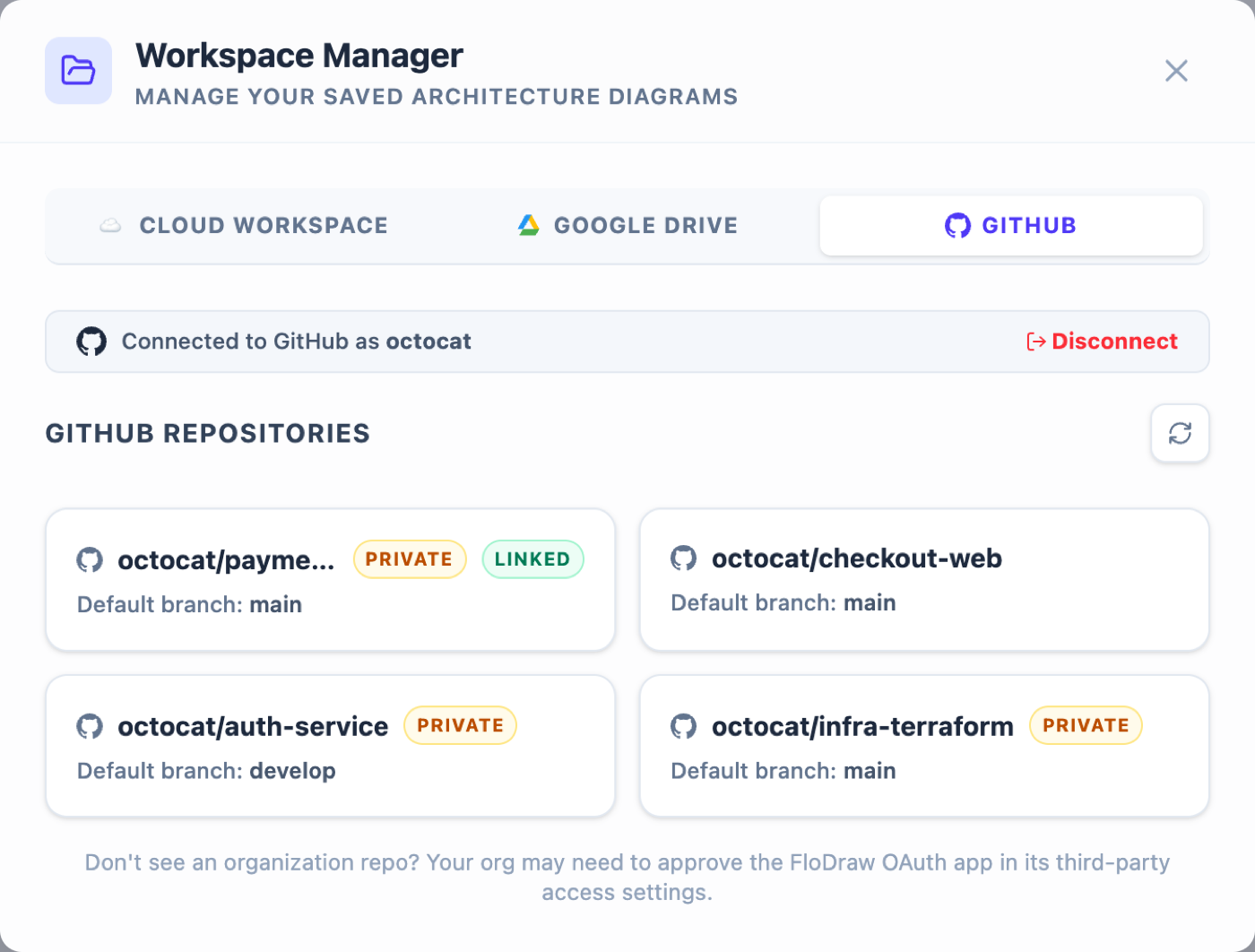
A few things we sweated so you don't have to:
- Tokens are encrypted at rest (AES-256-GCM) and never sent to your browser — every GitHub call happens server-side.
- Expiring, auto-rotating tokens — FloDraw uses GitHub's short-lived user tokens and refreshes them safely behind the scenes.
- No webhooks, no background daemons — FloDraw only touches GitHub when you click something.
- GitHub Enterprise works out of the box: the integration is configuration-driven, so pointing a deployment at
ghe.your-corp.comis an environment variable, not a code fork. 🏢
Your Repo Is Now a Diagram Source
Click into any repository and browse it like a diagram library. Pick a branch, optionally a folder like docs/architecture, and you can save the current canvas straight into the repo — committed as a readable .flodraw JSON file with a clean commit message — or load any diagram already there.
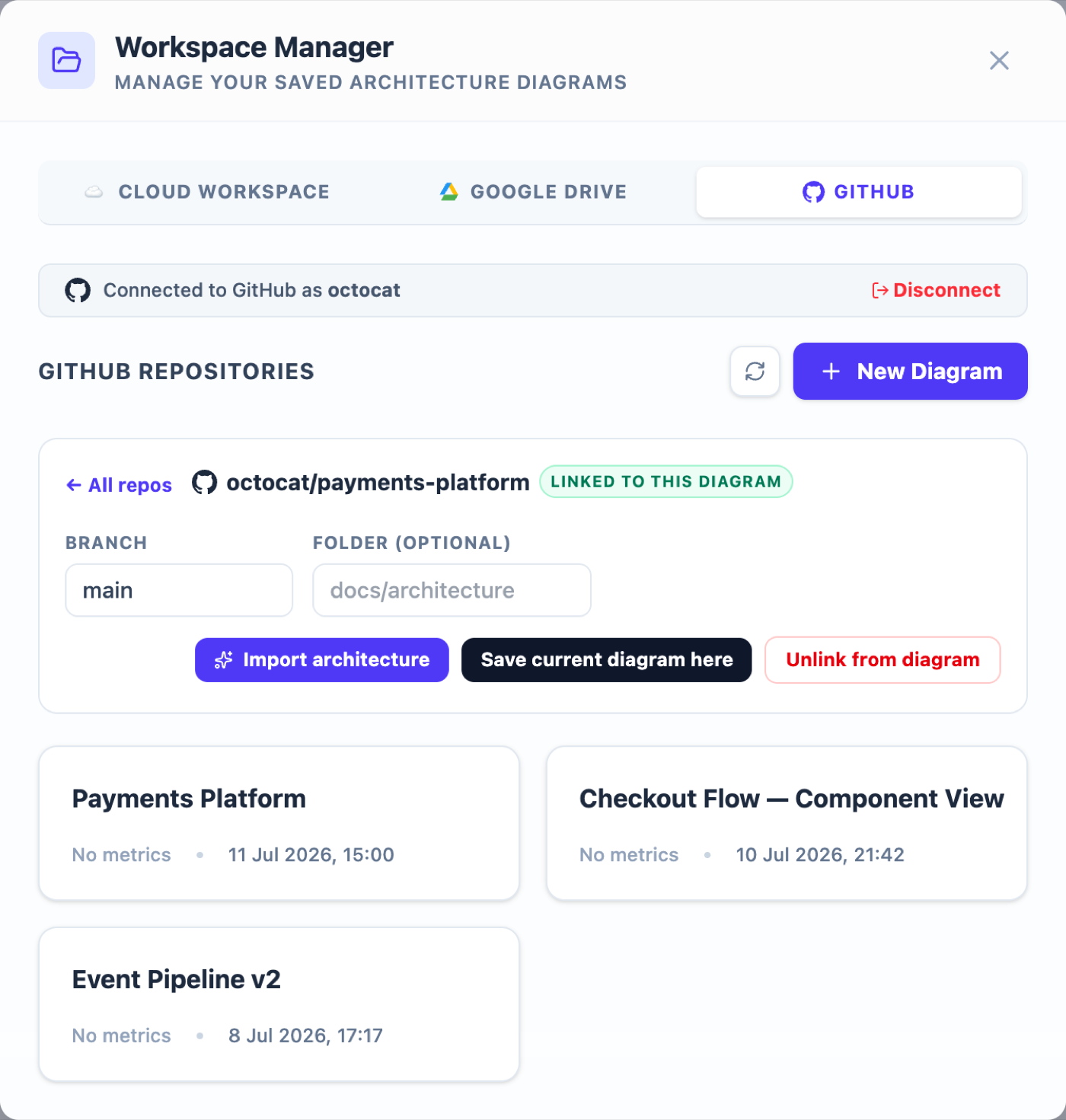
That means your diagrams now get everything the code gets for free:
- History — every design change is a commit;
git log docs/architecture/is your design timeline. - Review — diagram changes can ride the same PR as the code change they explain.
- Conflict safety — if someone edited the file on GitHub since you loaded it, FloDraw detects the mismatch and refuses to silently overwrite it.
One System, Many Repos 🔗
Real systems don't live in one repository — the frontend, the auth service, the Terraform, they're all separate repos orbiting one architecture. So FloDraw lets you link multiple repositories to a single diagram. The system-level diagram links to every repo it describes; a component-level diagram links to just its own. Linked repos show a badge in the picker and become the default targets for pushes and audits — your diagram now knows where its code lives.
Push Specs Without Leaving the Canvas
Generate an AI Handoff Bundle — agent rules, architecture docs, ADRs, and the conformance pack — and Push to GitHub lands the whole thing in one atomic commit, or as a ready-to-review pull request on a flodraw/* branch. No zip, no drag-and-drop, no "I'll commit it later."
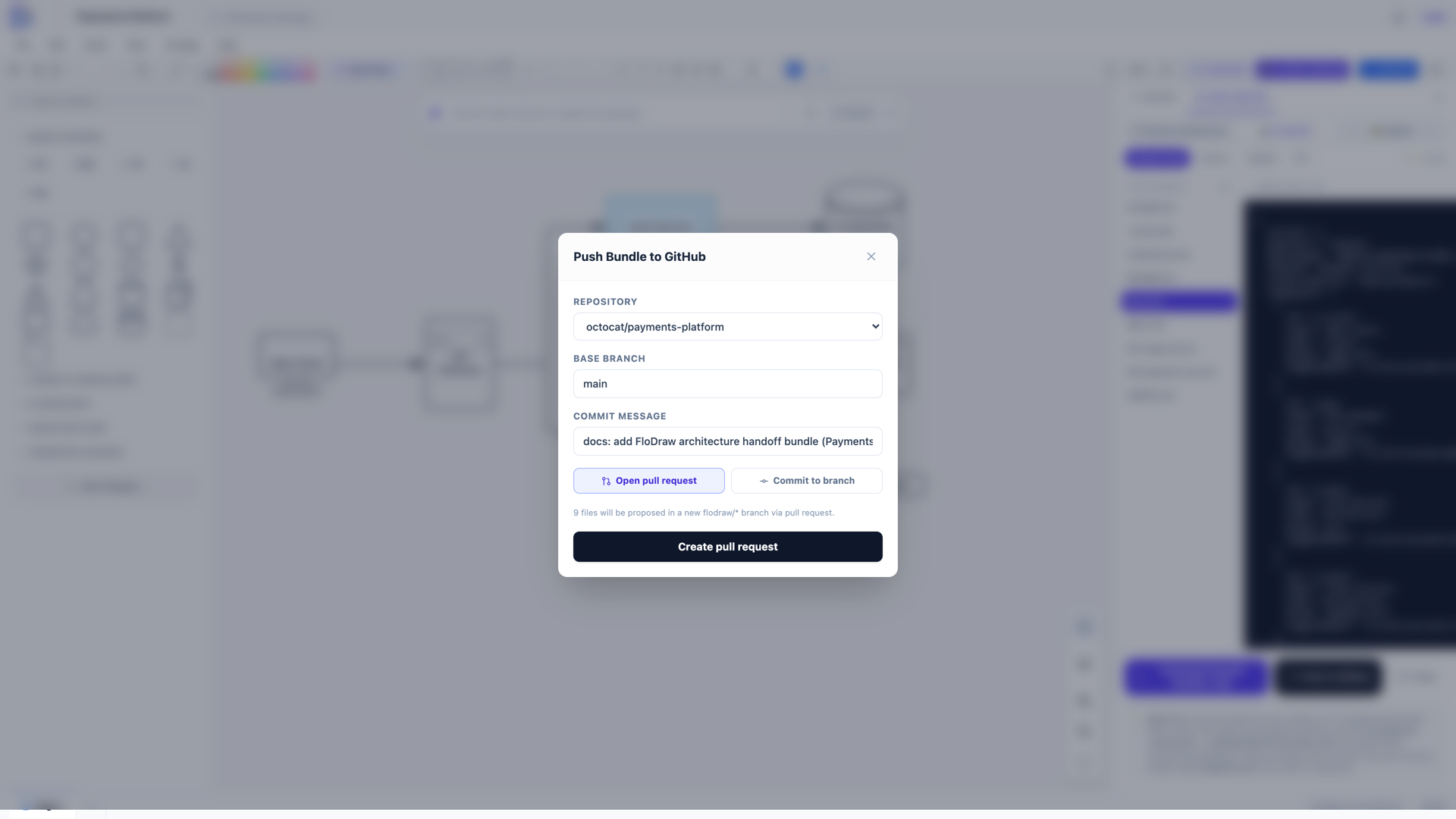
The PR flow is our favorite: your architecture update becomes a reviewable artifact with a diff, approvals, and a merge button — exactly like every other change to your system.
And the Reverse Trick: Import a Repo into a Diagram 🪄
Already have the code but no diagram? Point FloDraw at a repository and click Import architecture. FloDraw reads the repo's structure and key manifests — package files, docker-compose, Terraform, Kubernetes configs (never your proprietary source wholesale) — and generates an editable architecture diagram of what's actually running, auto-linked back to the source repo. Three AI credits, and your undocumented system has a map.
It's the same magic as turning a whiteboard photo into a diagram — except the "photo" is your codebase.
The Loop, Complete
With GitHub in the picture, the whole design-to-code lifecycle runs through one place:
- Import or design your architecture on the canvas.
- Link the repos that implement it.
- Save the diagram into the repo — versioned like code.
- Push guardrails and specs as commits or PRs.
- Audit for drift with the conformance skill whenever the code evolves.
Your architecture stops being a bookmark and starts being a branch. 🌳
Try It Now
Open FloDraw, hit Import & Sync → GitHub → Connect GitHub, and put your next diagram where your code can see it. Saving, loading, and linking are free — bring a repo and five minutes.